Pictory vs Lumen5: which AI video platform fits your workflow?
We compare automation, branding controls and collaboration options so you can invest in the tool that delivers the fastest video production gains.
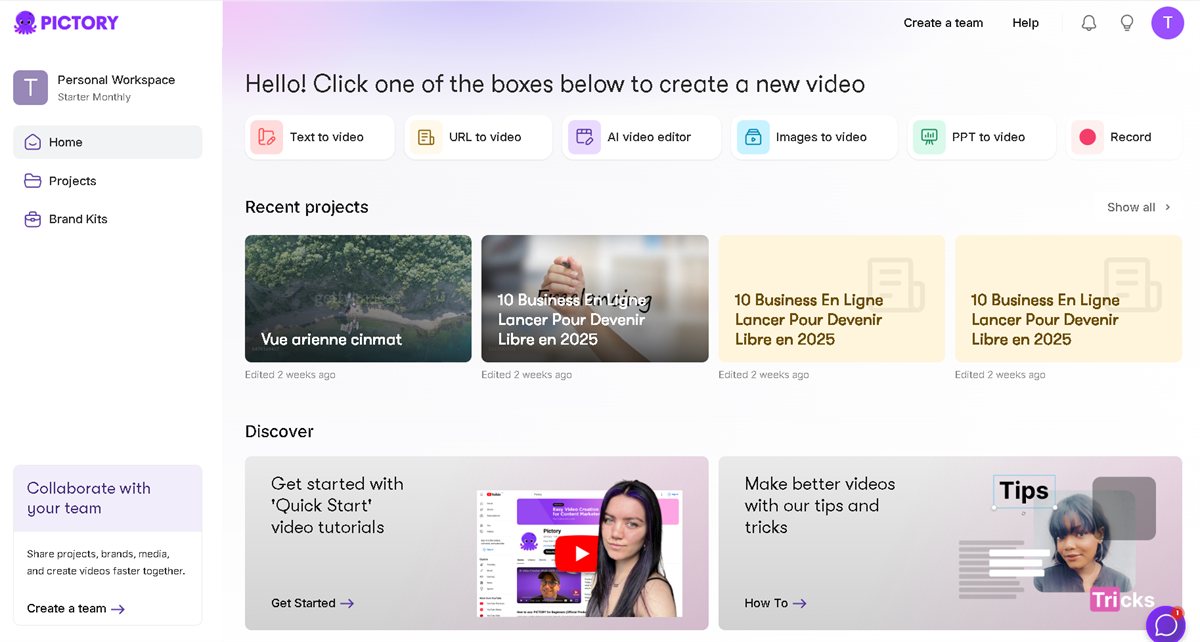
Looking for a Pictory alternative?
InVideo AI creates videos from text. 25% OFF with code InVideoOffer25
Why compare Pictory and Lumen5?
Marketing teams expect AI tools to accelerate video creation without sacrificing brand consistency. Pictory and Lumen5 are often shortlisted together because both automate repetitive editing tasks. Yet they were built for different scenarios: Pictory converts long-form scripts into narrated videos, while Lumen5 shines when you need branded social snippets from existing assets.
This article highlights the strengths and trade-offs of each platform so you can align your choice with concrete use cases such as tutorials, product launches, webinars or employer branding.
Key capabilities to evaluate
- Automated editing: Pictory generates storyboards, voiceovers and captions from a script in minutes. Lumen5 relies on templates to quickly assemble social-friendly clips.
- Brand governance: Lumen5 locks fonts, colors and logos at the workspace level. Pictory focuses on fast visual suggestions from royalty-free libraries.
- Accessibility: Both produce captions, but Pictory synchronizes AI voiceovers and trims silences automatically.
- Collaboration: Lumen5 includes review comments and approvals. Pictory stands out with multi-format exports (vertical, square, horizontal) generated in one click.
When Pictory is the better fit
Pictory is ideal for solo creators, coaches and lean marketing teams that repurpose long-form content. Paste a blog post, webinar transcript or sales script and the tool suggests scenes, stock footage and AI voiceovers that match the tone of your message.
- Import scripts, blog articles or video transcripts in a few seconds.
- Auto-highlight the best moments for social teasers.
- Starter plan begins at $19/month with 1080p exports.
When Lumen5 delivers more value
Lumen5 suits social media managers and comms teams that publish branded micro-content every week. Drag-and-drop templates keep visuals on brand, while built-in collaboration shortens approvals with stakeholders.
- Template library for LinkedIn, Instagram Reels and YouTube Shorts.
- Brand kits that centralize fonts, colors and watermarks.
- Real-time feedback and approval flows for editors and reviewers.
Pricing and projected ROI
Pictory offers a seven-day free trial and a Starter plan covering 30 video projects per month. Lumen5 also proposes a free trial, but most teams upgrade to the Professional or Premium tiers to unlock HD exports and multiple brand kits. Estimate your monthly output, required formats and team size before deciding.
Many companies actually pair both tools: Pictory to generate long-form explainers and Lumen5 to repurpose highlights into social-ready clips that drive traffic back to the full video.
Best practices for rolling out AI video
Write structured scripts
Break scripts into short paragraphs with a clear intent per scene. The AI then selects visuals and voiceover timing with far fewer edits.
Document your brand system
Store fonts, hex codes and lower-third layouts so both platforms deliver consistent outputs for every campaign.
Track performance metrics
Monitor audience retention, click-through rate and average watch time to refine scripts and creative choices.
Frequently asked questions
Which tool is better for YouTube content?
Pictory provides greater control over narration length and voiceovers, making it ideal for full YouTube videos. Lumen5 is perfect for trailers, shorts and quick recaps that promote that long-form content.
Can I upload my own footage?
Yes. Both platforms support custom video clips, images and audio tracks. Organize your assets into folders so collaborators can reuse them easily.
Final takeaway
If you need to transform text into ready-to-publish narrated videos, Pictory will save you the most time. If your workflow revolves around branded social clips, Lumen5 offers more guardrails. Test both free trials, measure the hours saved per project and invest in the platform that scales your video pipeline.
Want to try the script-to-video workflow?
Start Pictory for freeNo credit card required · Cancel anytime